
Setting up MFA (Multi-Factor Authentication)
At HOGENT, we use mandatory two-step verification (MFA) to better protect your account. We do this via the Microsoft Authenticator app (see below). In this step, we will set up MFA correctly.
If you have successfully completed step 1, you are now temporarily logged in and will see the screens below. Click on ‘Next’ or ‘Volgende’ until you see the third screen shown below. As the screen indicates, we need to install the Microsoft Authenticator app. You can find this app in the Google Play Store (Android) or the App Store (iPhone).
Warning! Download the correct Authenticator app, not the sponsored results that sometimes appear above the ‘real’ Authenticator in the Play Store or App Store. The only correct version is ‘Microsoft Authenticator’ and features the following logo:

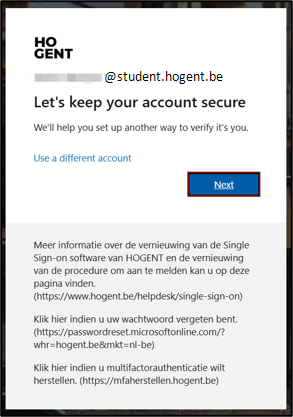
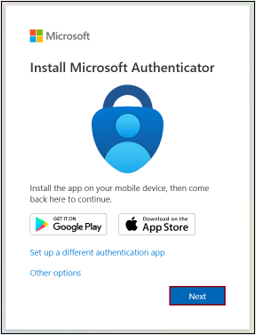
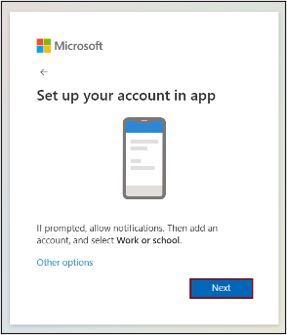
On your smartphone, tap the blue circle. On your computer, click ‘Next’. A QR code will appear on your computer screen. Now scan the QR code using the app.
A test is now being carried out to check that your MFA is set up correctly. A number will be displayed on the screen and a text box will appear on your smartphone. Enter the number you see on your computer screen here.
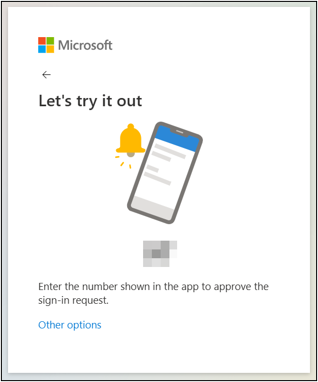
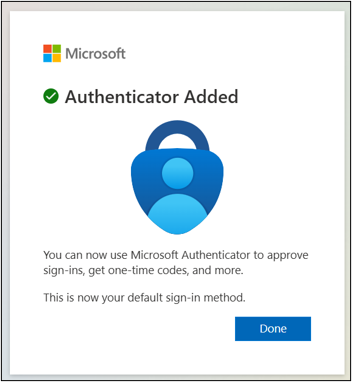
Did you pass the test? Great, let’s do this again, but this time ‘for real’ – so you can actually log in to your HOGENT account for the first time. So, please enter the new number you see on your computer screen into your smartphone once more.
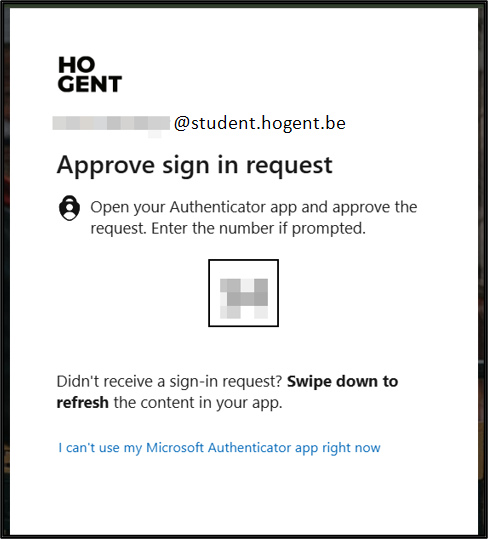
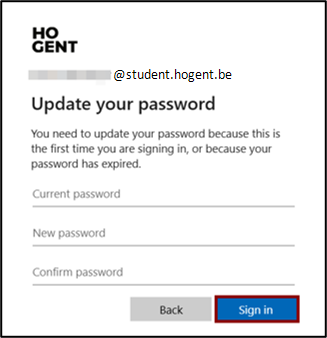
Set your permanent password.
We’re almost there! On the next screen, you’ll be asked to set your personal password. A secure password must contain at least 10 characters, including at least one or more capital letters, a special character and one or more numbers.
Enter the temporary access code in the first box (see the activation email).
Next, enter your new password in the middle box (New password). Confirm that same password by entering it again in the bottom box (Confirm password).
Finally, click on “Sign in”.
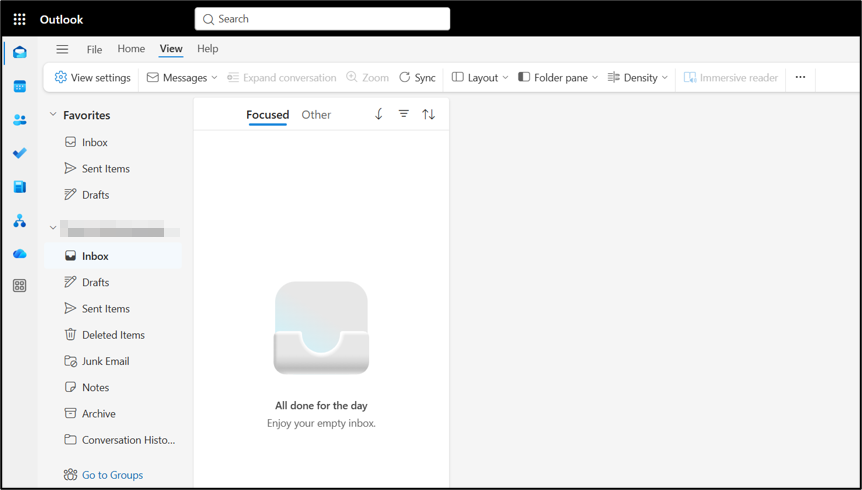
Can you see your inbox? Congratulations, you’re logged in to your HOGENT account!
If you don’t see this screen, please contact RITA (Revolte IT Advies) at rita@hogent.be. Please do include screenshots of any error messages – this will help us identify the problem more quickly and provide a solution.
Welcome to HOGENT!